
Most cloud networking explanations make one critical mistake - they explain cloud concepts using cloud jargon to people who don't understand cloud yet. You search “what is a VPC,” get hit with CIDR blocks, route propagation, and NAT gateway configurations, and walk away more confused than when you started.
This article fixes that. Whether you're a developer shipping your first production app to AWS, prepping for a cloud interview, or just tired of nodding along in architecture meetings when someone mentions “private subnets” - this is for you. No jargon walls. No 47-step AWS console walkthroughs. Just a clear mental model of how cloud networking actually fits together, grounded in how real production systems use it.
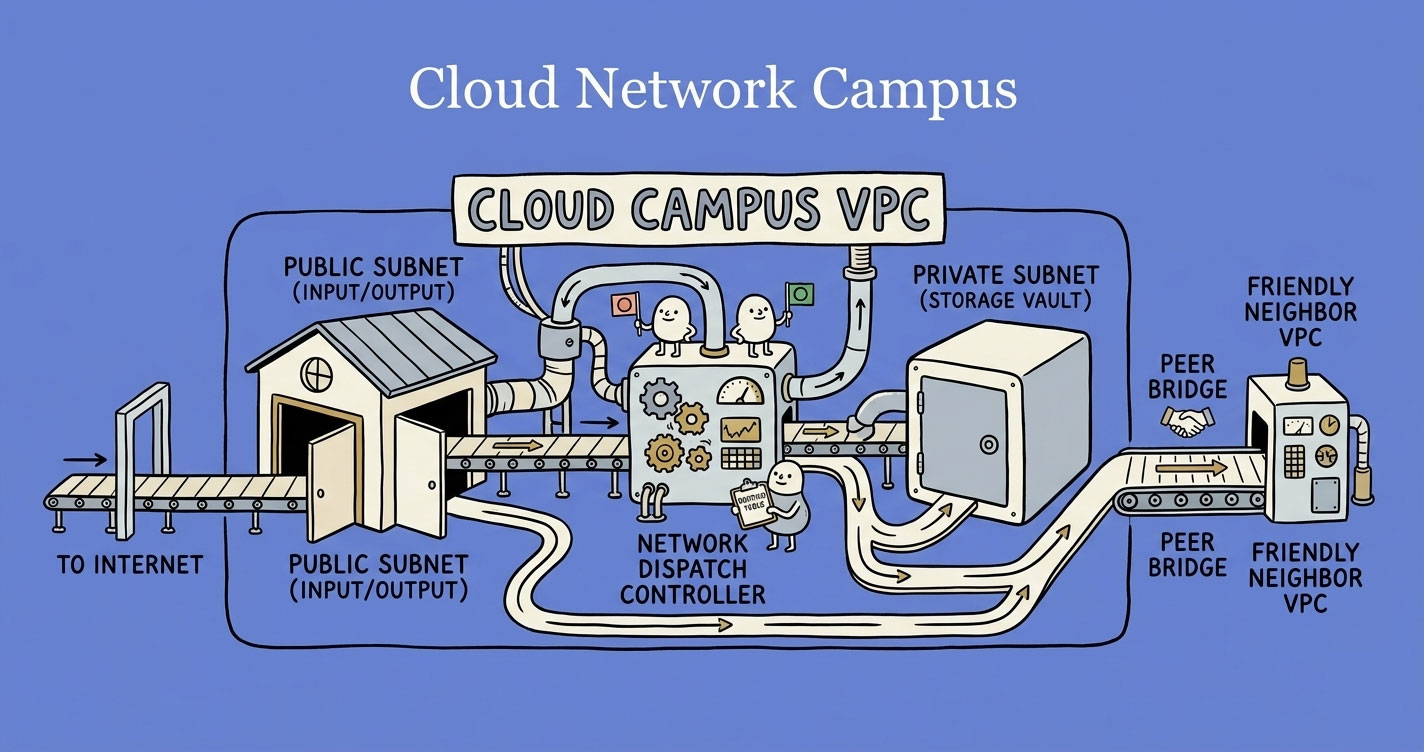
A VPC is your own isolated network inside a cloud provider — a private compound where you control every entry point. Public subnets host internet-facing resources like load balancers; private subnets hold everything that shouldn't be exposed (databases, app servers, internal APIs). Routing tables decide where traffic goes, Internet Gateways allow two-way internet access, NAT Gateways allow outbound-only, and security groups act as per-resource firewalls. Get this layered model right and most cloud networking decisions answer themselves.
The Mental Model: A Private Colony Inside a City
Think of the cloud (AWS, Azure, GCP) as a massive city. Thousands of companies run their systems inside this city, sharing the same physical infrastructure.
You don't want your app sitting on a public sidewalk. You want your own gated compound - walls, controlled entry points, internal roads, and rules about who gets in.
That compound is your VPC (Virtual Private Cloud).
This single analogy unlocks everything else. Subnets are zones inside your compound. Routing tables are the road signs. Gateways are the gates. Once you internalize this, every networking concept becomes a variation on the same idea: control who talks to what, and how.
VPC - Your Controlled Environment
In simple terms:Imagine you move to a new city and buy a plot of land. You build walls around it, install your own gate, set your own rules - who can come in, who can't, how things are organized inside. That's your VPC. It's your private colony inside the cloud's massive city. Only you decide what happens inside those walls.
In production:A VPC is an isolated network you own inside the cloud provider's infrastructure. You control the IP address range, the network structure, and every access rule. Without it, your database would sit on the same network as every other customer's database - and that's not a hypothetical concern.
Every serious production system runs inside a VPC. Your EC2 instances, RDS databases, Lambda functions (when VPC-connected), ECS containers - they all live inside this boundary. Nothing enters or leaves unless you explicitly allow it.
The key insight:A VPC is not a feature you “turn on.” It's the network foundation everything else sits on top of. Get this wrong, and every service you deploy inherits that misconfiguration.
Public vs Private Subnets - The Most Misunderstood Split
Inside your VPC, you divide the network into subnets - smaller, isolated zones. Each subnet lives in a specific availability zone and gets a chunk of your VPC's IP range. If you're planning those ranges for the first time, a VPC subnet calculator makes the CIDR math painless - slice a /16 into the right number of /24s without doing binary arithmetic in your head.
There are two types, and the distinction is simpler than most tutorials make it:
Public Subnet
In simple terms: Think of shops and restaurants that sit right on the main road of your colony. Anyone driving by can see them, walk in, and interact. They're designed to be accessible - that's the whole point.
In production: A subnet with a route to an Internet Gateway. That's it. Resources here can be reached from the internet (if their security groups allow it) and can reach the internet directly.
What lives here: Load balancers, bastion hosts, NAT gateways, and occasionally web servers that need direct public access.
Private Subnet
In simple terms: Now think of the houses deep inside your colony- no direct road to the outside. You can't just walk in from the main road. You'd need to go through the colony gate, pass through internal roads, and know exactly where you're going. That's the point - they're not meant to be found easily.
In production: A subnet with no route to an Internet Gateway. Resources here are invisible to the outside world. They can only be reached by other resources inside the VPC.
What lives here:Application servers, databases, internal APIs, background workers - basically everything that doesn't need to face the internet directly.
Why This Split Matters in Production
Here's where teams get burned: putting a database in a public subnet.It happens more often than you'd think. A developer needs to connect to the DB from their laptop during development, adds a public IP, and forgets to remove it. Now your PostgreSQL instance with customer data is one misconfigured security group away from being exposed to the internet.
The rule is simple: if it doesn't need to talk to the internet, it goes in a private subnet. No exceptions.
Routing Tables - The Invisible Decision Maker
In simple terms: Inside your colony, you need signboards at every intersectiontelling people where to go. “Visitors? Go to the reception.” “Deliveries? Go to the back gate.” “Residents? Take the internal road.” Without these signs, everyone wanders around lost. That signboard system is your routing table.
In production: Every subnet has a routing table - a set of rules that tells network traffic where to go:
- Traffic for
10.0.0.0/16? → Stay inside the VPC (local route) - Traffic for
0.0.0.0/0? → Send to the Internet Gateway (public subnet) or NAT Gateway (private subnet) - Traffic for
172.16.0.0/16? → Send through the peering connection
This is where most real-world networking bugs happen. A service can't reach the internet? Check the routing table. A private subnet accidentally has public access? Wrong route table association. Two subnets can't talk to each other? Missing route.
The routing table is invisible in the sense that you don't interact with it at the application level. But when something breaks, it's the first place you should look.
Internet Gateway vs NAT Gateway - Two Very Different Doors
Your VPC needs gateways to connect to the outside world. There are two, and they serve fundamentally different purposes.
Internet Gateway (IGW)
In simple terms: The main gate of your colony- wide open during business hours. People come in, people go out. It's a two-way road connecting your colony to the city.
In production:Attach it to your VPC, add a route in your public subnet's route table pointing 0.0.0.0/0 to the IGW, and resources in that subnet can communicate with the internet - both inbound and outbound.
- Direction: Inbound + Outbound
- Used by: Public subnets
- Cost: Free (you pay for data transfer, not the gateway itself)
NAT Gateway
In simple terms: A secret back exitfor the residents inside your colony. They can step out to the city to buy groceries or run errands, but no one from outside can use that door to come in. It's one-way - exit only.
In production: Resources in private subnets can reach the internet (to pull updates, call external APIs, etc.), but nothing from the internet can initiate a connection back in. AWS publishes a reference architecture for this exact pattern.
- Direction: Outbound only
- Used by: Private subnets
- Cost: Not free - per-hour charge + per-GB data processing fee
Why this matters:NAT Gateways cost real money. A production system with heavy outbound traffic from private subnets can rack up hundreds of dollars monthly on NAT alone. Teams often don't notice until the bill arrives.
A common misconfiguration: A private subnet with no NAT Gateway route. Everything works internally, but the moment a service tries to call an external API or pull a Docker image - it silently times out. No error, just a hung request.
VPC Peering - Private Bridges Between Networks
In simple terms:You and your friend both own separate colonies in the same city. Right now, if you want to visit each other, you'd have to go out onto the city's public roads - slow, crowded, and anyone can see you travelling. Instead, you build a private bridge directly between the two colonies. No public roads involved. That bridge is VPC Peering.
In production:VPC Peering creates a direct, private connection between two VPCs. Traffic stays on the cloud provider's backbone network - no internet involved. You request a peering connection from VPC-A to VPC-B, VPC-B accepts, and both sides update their routing tables to send traffic through the peering connection.
The Catch
VPC peering is not transitive.If VPC-A peers with VPC-B, and VPC-B peers with VPC-C, A cannot reach C through B. You'd need a separate peering connection between A and C. This becomes unmanageable at scale - which is why AWS introduced Transit Gateway for hub-and-spoke architectures.
Public Peering vs Private Peering
- Public peering: Traffic between systems goes over the internet. Simpler to set up, but slower, less secure, and subject to internet routing unpredictability.
- Private peering:Traffic stays on a dedicated connection (VPC peering, AWS Direct Connect, etc.). Faster, more predictable, and doesn't touch the public internet.
For anything handling sensitive data or requiring consistent latency, private peering is the only real option.
Security Groups and Firewalls - The Guards at Every Door
Walls, gates, and roads are useless if anyone can walk through unchecked. You need guards - and rules for those guards to follow.
Every cloud provider has this concept, just with different names: Security Groups in AWS, Firewall Rules in GCP, Network Security Groups (NSGs) in Azure. The idea is identical across all three.
In simple terms: Think of a security guard stationed at the door of every building inside your colony. Before anyone enters or leaves, the guard checks a list: “Is this person allowed in? On which door? At what time?” If they're not on the list, they're turned away. Every building (server, database, container) has its own guard with its own list. One building might allow visitors from the internet on the front door (port 443), while the building next door only allows residents from within the colony (port 5432 from the app server's IP only).
In production: A security group is a stateful firewall attached to individual resources - not subnets, not the VPC, but each specific instance, database, or load balancer. You define inbound rules (who can send traffic in) and outbound rules (what traffic can go out). Everything not explicitly allowed is denied by default.
Here's what makes security groups powerful: they're composable.Instead of whitelisting IP addresses, you can reference other security groups. Your database's security group can say “only allow inbound on port 5432 from the app server's security group.” Now it doesn't matter how many app servers you scale to or what their IPs are - if they belong to that security group, they're in.
The mistake everyone makes: Opening 0.0.0.0/0(all IPs) on SSH port 22 during development and forgetting to remove it. Your private subnet won't save you if the security group is a wide-open door. Defense works in layers - subnets control the road access, security groups control the building access. You need both.
Putting It All Together - A Real Architecture
Here's how these pieces fit in a typical production setup:
A user request hits the load balancer (public subnet), gets forwarded to the app server (private subnet), which queries the database (another private subnet). The database has zero internet exposure. The app server can call external APIs through the NAT Gateway if needed.
This is the pattern behind most production cloud deployments. The specifics vary - Kubernetes, serverless, container orchestration - but the networking foundation is the same.
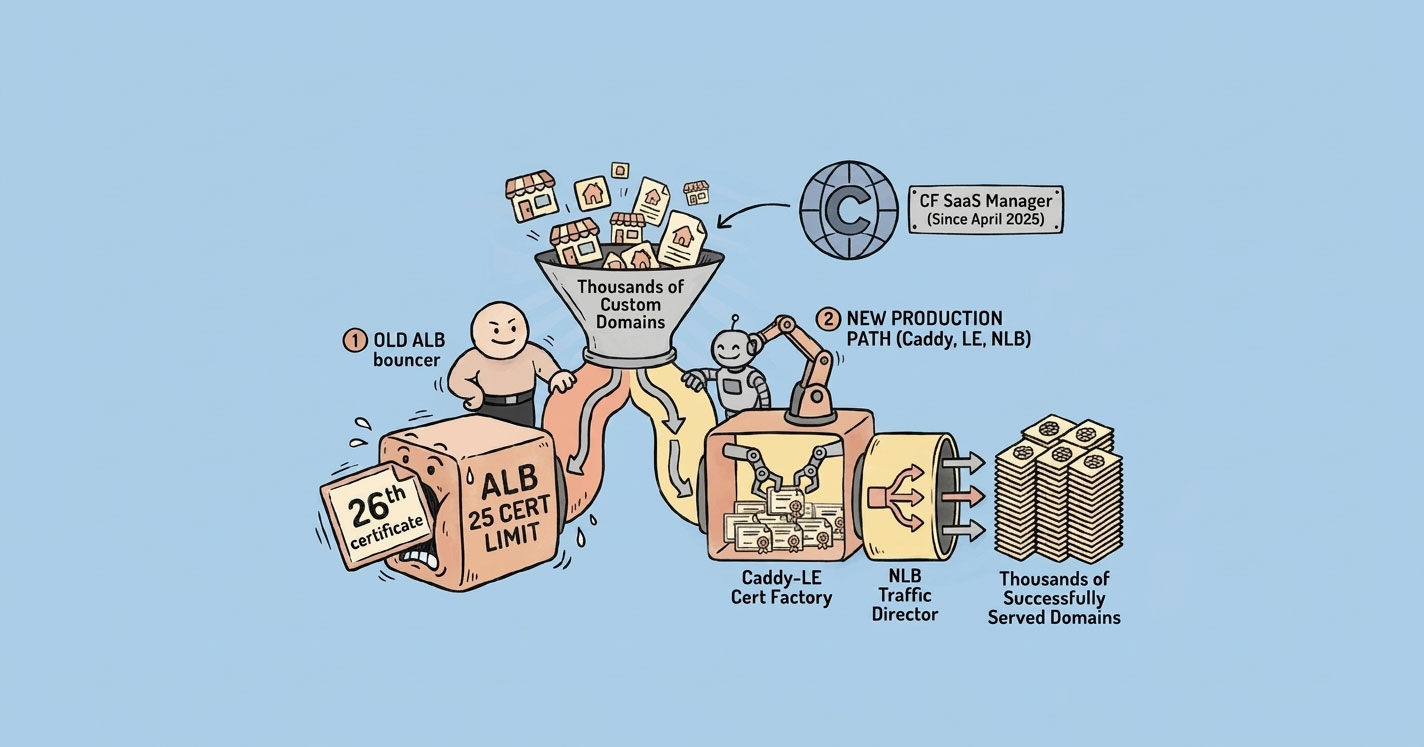
For a concrete example of this layout in production — with an NLB in the public subnet fronting an internal ALB to handle thousands of SaaS custom domains — see SaaS custom domains on AWS: past the 25 SSL certificate wall.
Common Mistakes That Break Real Systems
1. Database in a public subnet.Already covered this, but it's common enough to repeat. If your RDS instance has a public IP, fix it now.
2. No NAT Gateway in private subnets.Services fail silently when they can't reach external endpoints. This is especially painful with package managers and container registries during deployments.
3. Wrong route table association.You create a new subnet, forget to associate the right route table, and it inherits the default (which has no internet route). Everything looks fine until a service deployed there can't reach anything.
4. Overusing VPC peering.Three VPCs? Peering works. Fifteen VPCs? You need a Transit Gateway. Peering doesn't scale - the number of connections grows quadratically.
5. Security groups wide open during development. 0.0.0.0/0on port 22 “just for testing” that never gets removed. Use a bastion host or AWS SSM Session Manager instead.
Quick Reference: Concepts at a Glance
| Concept | In Simple Terms | In Production |
|---|---|---|
| VPC | Your own gated colony inside a big city | Isolated network in the cloud. Everything runs inside it. |
| Public Subnet | Shops on the main road - anyone can visit | Has a route to the Internet Gateway. For internet-facing resources. |
| Private Subnet | Houses deep inside the colony - no outside access | No internet route. For databases, APIs, and internal services. |
| Routing Table | Signboards telling traffic where to go | Decides how packets move. Check here first when things break. |
| Internet Gateway | The colony's main gate - people come and go freely | Two-way door for public subnets. Free. |
| NAT Gateway | A secret back exit - residents go out, no one comes in | One-way outbound exit for private subnets. Costs money. |
| Security Groups / Firewall Rules | Security guards at every building door with a checklist | Stateful firewall per resource. Default deny. Composable via group references. |
| VPC Peering | A private bridge between two colonies | Direct connection between two VPCs. Not transitive. |
Cloud networking isn't complicated. It's just poorly explained. Once you see it as “walls, zones, roads, and gates,” every AWS networking decision becomes a variation on the same question: who should be allowed to talk to what, and through which path?