
Everything works perfectly — until your 26th customer.
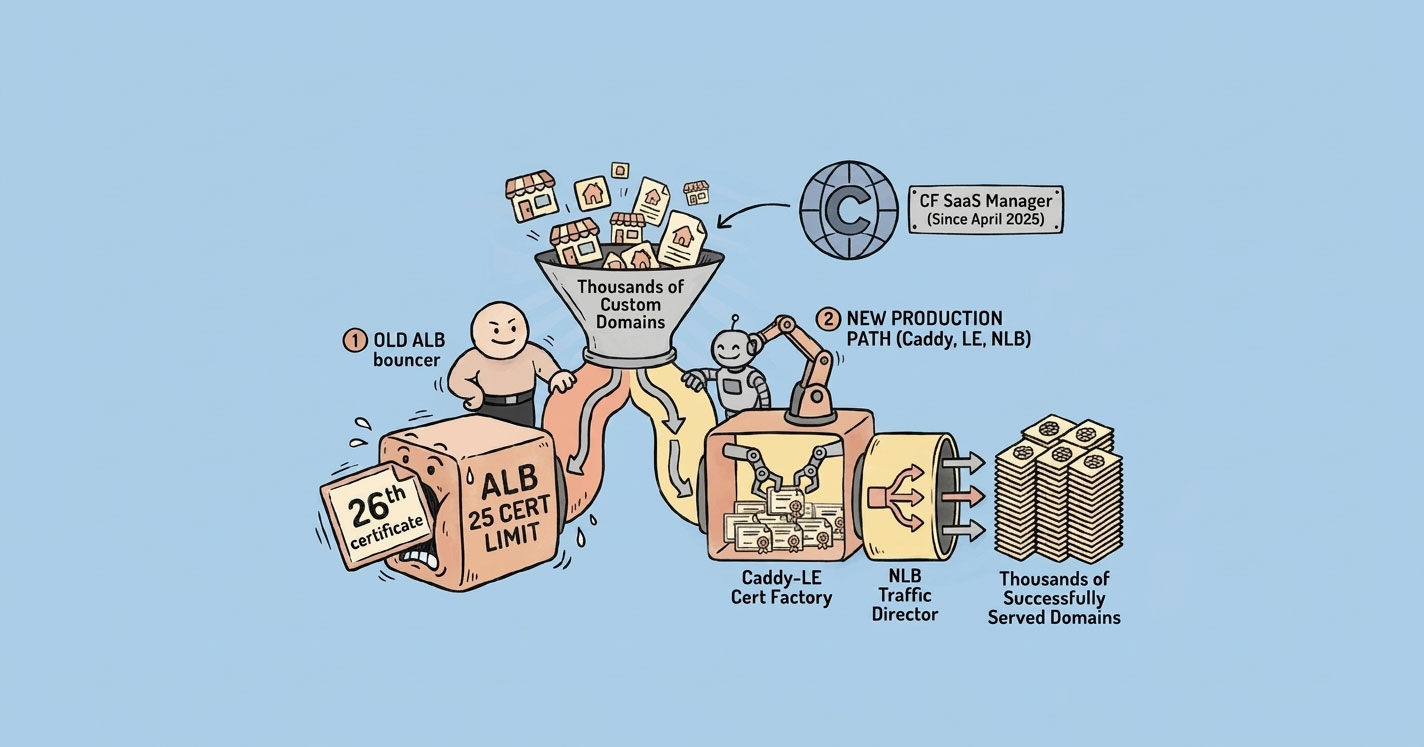
That's when I discovered a hard limit in AWS: an Application Load Balancer only supports 25 SSL certificates per listener by default. For a SaaS product offering white-labeled custom domains, that's not a limitation — it's a wall.
This is the story of how I hit that wall, walked through a few dead ends, and eventually shipped a Caddy-based dynamic SSL layer that's been handling thousands of domains in production without a single incident. And then — because the landscape never stops moving — how AWS released their own native answer a year later.
AWS Application Load Balancers cap at 25 SSL certificates per listener — a hard wall the moment your SaaS hits its 26th custom-domain customer. Two production-proven fixes: a Caddy-based dynamic SSL layer behind a Network Load Balancer, which auto-issues Let's Encrypt certs on first request and has handled thousands of domains for me without incident; or AWS's newer CloudFront SaaS Manager (released April 2025) if you want a managed path. Pick Caddy for control and cost; pick CloudFront SaaS Manager for less ops surface.
The Initial Setup (Which Worked Fine)
The product is a SaaS checkout platform. Every tenant gets a sandbox subdomain the moment they sign up:
storename_a1b2.sandbox.acme-saas.ioThe SSL story here is trivial. One wildcard ACM certificate for *.sandbox.acme-saas.io, attached to the ALB's 443 listener. Zero operational overhead. Infinite tenants. Everything just works.
This was the architecture for the first few months. No complaints.
Then Customers Wanted Their Own Domains
The moment you offer white-labeling, the request shows up: “Can we use our own domain instead?”
Now tenants want to point their domain at the platform:
shop.client-brand.com     →  our infra
store.another-tenant.xyz  →  our infra
For customers already using Cloudflare with orange-cloud proxy enabled, this is easy. Cloudflare terminates SSL at their edge and forwards the request to our ALB over a generic wildcard. We didn't have to issue anything.
But Cloudflare isn't universal. Plenty of customers don't use it. Plenty don't want to. So for the rest, we have to issue the SSL ourselves.
The first version was the obvious one:
- Customer adds a CNAME from their domain to our ALB.
- We request an ACM certificate for
shop.client-brand.com. - Customer adds the DNS validation record.
- We attach the issued cert to the ALB's 443 listener.
This works. For a while.
The Wall: ALB's 25-Certificate Limit
Somewhere around the 25th customer, ACM issued the certificate fine — but the ALB refused to attach it.
AWS Application Load Balancer allows a maximum of 25 certificates per listener by default.
You can request a quota increase, but it's capped around 100. For a platform meant to grow into hundreds or thousands of tenants, this number is a ceiling, not a floor. Provisioning a new ALB every 25 customers isn't architecture — it's paperwork.
The solution needed to scale to thousands of domains without any per-customer infrastructure work.
Dead End #1: CloudFront with a Single Distribution
The first instinct: move SSL termination from ALB to CloudFront. CloudFront supports SNI. Problem solved.
Except it isn't. Here's what you run into:
- A CloudFront distribution allows one SSL certificate attached at a time.
- That single certificate must cover every alternate domain name on the distribution.
- ACM certs have a default limit of 10 SAN entries per certificate (increasable, but capped).
- A wildcard like
*.client-brand.comdoesn't help when your next customer's domain isshop.other-brand.xyz. Different TLDs. Different root domains. No wildcard works across them.
Single-distribution strategy: dead on arrival for arbitrary multi-tenant custom domains.
Dead End #2: One CloudFront Distribution Per Tenant + Lambda Automation
If one distribution won't work, spin up one per tenant and automate it.
The Lambda pipeline looks clean on paper:
Technically this works. But operationally it's painful:
- CloudFront has a soft limit on distributions per account.
- Every new distribution is 15–20 minutes to deploy.
- At 500 tenants, you're managing 500 distributions — configuration drift, invalidation cost, auditability all get worse with every one you add.
- Tearing down a tenant means tearing down a distribution. Not fun.
It's a solution. It's not an elegantone. And at the time, I wanted something I wouldn't have to babysit.
The Breakthrough: Caddy + Let's Encrypt on ECS
I started looking at NGINX + Let's Encrypt + some orchestration layer. That's when I ran into Caddy.
Caddy has one feature that changes everything for multi-tenant SaaS: on-demand TLS. It issues a Let's Encrypt certificate the first time a domain hits it, caches it, and serves every subsequent request from cache. No pre-provisioning. No cert limits. No API dance.
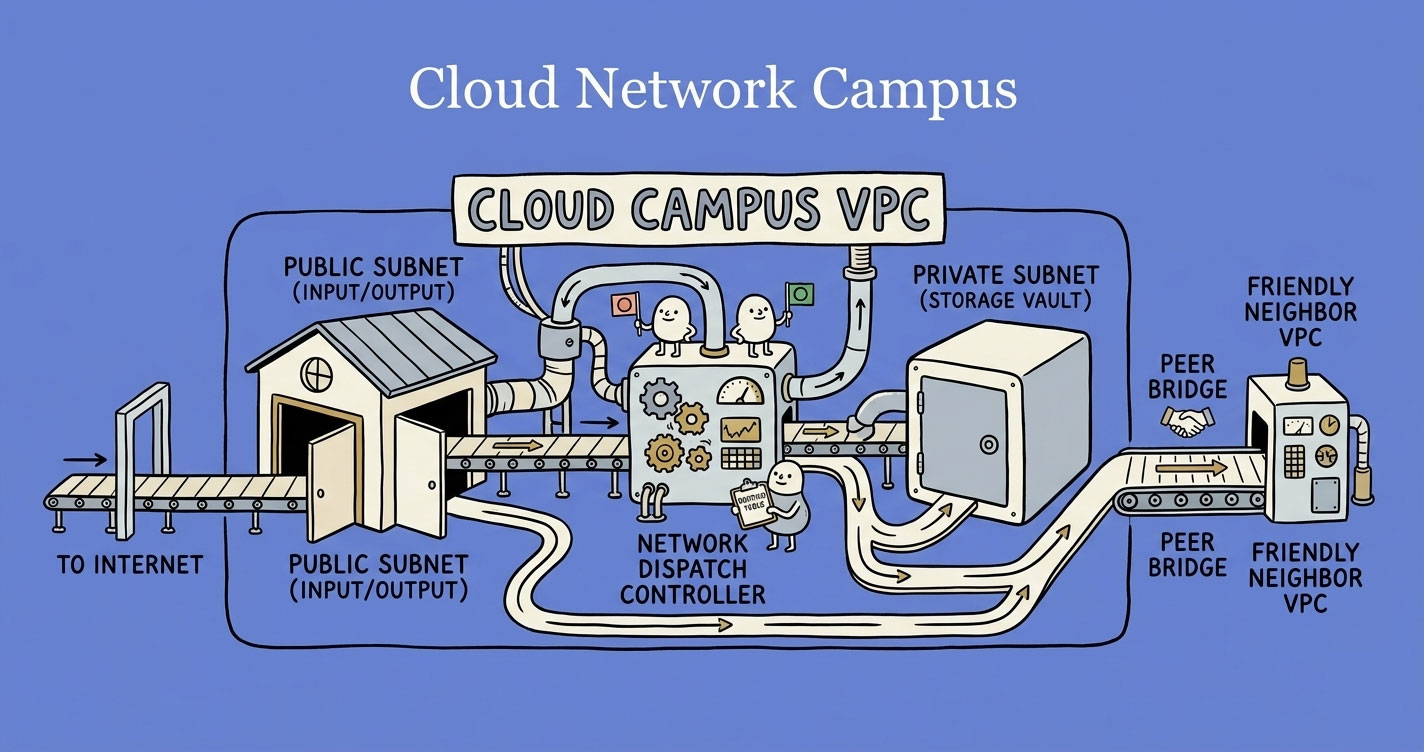
If you're fuzzy on where NLBs and ALBs actually live in your AWS network, the VPCs, subnets, and routing breakdown is worth reading first — the rest of this architecture assumes you know how traffic moves through a VPC.
The architecture I landed on:
Traffic flow:
- Customer browser hits
shop.client-brand.comover HTTPS. - DNS points to the NLB (layer 4, raw TCP passthrough).
- NLB forwards to Caddy running on ECS Fargate.
- Caddy checks S3 for an existing certificate. If found, it uses it. If not, it asks our API whether this domain is authorized, then issues a fresh Let's Encrypt certificate and stores it in S3.
- SSL terminates at Caddy. Request is forwarded to the internal ALB over HTTPS with the original
Hostheader preserved. - ALB routes to the right app service based on
Host.
SSL termination happens at the Caddy layer. The internal ALB only ever needs one certificate — for the fixed internal domain Caddy talks to it on.
The Actual Configuration
Here's the Dockerfile. The key part is building Caddy with the S3 storage plugin so multiple Caddy tasks share the same cert store.
FROM caddy:builder AS builder

RUN xcaddy build \
    --with github.com/ss098/certmagic-s3

FROM caddy:alpine

COPY --from=builder /usr/bin/caddy /usr/bin/caddy
COPY Caddyfile /etc/caddy/Caddyfile

ENV S3_REGION=us-east-1
ENV S3_BUCKET=acme-saas-certs
ENV S3_PREFIX=production/certs/

EXPOSE 80 443 2019

CMD ["caddy", "run", "--config", "/etc/caddy/Caddyfile", "--adapter", "caddyfile"]
And the Caddyfile. This is where the real magic lives:
{
    email ops@acme-saas.io

    storage s3 {
        host "s3.us-east-1.amazonaws.com"
        bucket "acme-saas-certs"
        use_iam_provider true
        prefix "production/certs"
        insecure false
    }

    on_demand_tls {
        # Caddy calls this before issuing a cert for any new domain.
        # With query param ?domain=shop.client-brand.com
        # If it returns 200, Caddy issues. Otherwise it refuses.
        ask https://api.acme-saas.io/domains/verify
    }
}

:443 {
    tls {
        on_demand
    }

    reverse_proxy http://internal-alb.us-east-1.elb.amazonaws.com {
        # Keep the original Host header so the app knows which tenant is loading.
        header_up Host {host}
    }
}

:80 {
    redir https://{host}{uri}
}

:2019 {
    metrics /metrics
}
Two things worth calling out:
askendpoint. Without this, Caddy would happily try to issue a certificate for anydomain that resolves to your NLB. That's a Let's Encrypt rate-limit disaster and an open relay for abuse. Theaskendpoint is the gatekeeper.- S3 storage.Run two or more Caddy tasks for HA, and they need to share a cert store. Without the S3 plugin, each task issues its own cert for the same domain and you burn through Let's Encrypt rate limits fast.
Domain Verification: Stopping Abuse
The askendpoint is the most security-critical piece of this whole setup. If it returns 200 for arbitrary domains, attackers can point random hostnames at your NLB and rack up Let's Encrypt requests until you're rate-limited globally.
The flow:
- Customer adds their domain in our dashboard.
- We generate a unique verification token and return two DNS records they need to add: a TXT record (proves ownership) and a CNAME (points traffic to us).
- When the customer clicks “Verify,” we do a live DNS lookup from our backend to confirm the TXT record exists and matches what we issued.
- Only after TXT verification passes does the domain become “active” in our database.
- When Caddy's
askendpoint hits our API for a certificate, it checks this “active” flag.
The UUID generation and verification logic, in Python:
import uuid
import dns.resolver

SAAS_ROOT = "acme-saas.io"
TXT_RECORD_NAME = "acme_verify"


def generate_verification_record(customer_domain: str) -> dict:
    """
    Called when a customer adds their domain in the dashboard.
    Returns the exact DNS records they need to add.
    """
    token = uuid.uuid4().hex
    txt_value = f"{token}.verify.{SAAS_ROOT}"

    return {
        "txt_record": {
            "type": "TXT",
            "name": f"{TXT_RECORD_NAME}.{customer_domain}",
            "value": txt_value,
        },
        "cname_record": {
            "type": "CNAME",
            "name": customer_domain,
            "value": f"nlb.{SAAS_ROOT}",
        },
        "token": token,
    }


def verify_txt_record(customer_domain: str, expected_token: str) -> bool:
    """
    Live DNS lookup against authoritative nameservers.
    Returns True only if the customer has actually added the record.
    """
    expected_value = f"{expected_token}.verify.{SAAS_ROOT}"
    record_name = f"{TXT_RECORD_NAME}.{customer_domain}"

    try:
        answers = dns.resolver.resolve(record_name, "TXT", lifetime=5)
    except (dns.resolver.NXDOMAIN, dns.resolver.NoAnswer, dns.resolver.Timeout):
        return False

    for rdata in answers:
        for txt_bytes in rdata.strings:
            if txt_bytes.decode("utf-8") == expected_value:
                return True

    return False
And the endpoint Caddy hits before issuing a certificate:
from fastapi import FastAPI, HTTPException, Query

app = FastAPI()


@app.get("/domains/verify")
def caddy_ask_endpoint(domain: str = Query(...)):
    """
    Caddy calls this before issuing any cert.
    Return 200 only if the domain is verified and active.
    """
    record = db.fetch_one(
        "SELECT status FROM custom_domains WHERE domain = %s",
        [domain],
    )

    if not record or record["status"] != "active":
        raise HTTPException(status_code=403, detail="domain not authorized")

    return {"ok": True}
Three DNS calls, one database check, no shared state beyond what's already in your app's primary DB. That's the entire verification layer.
ECS Sizing for Caddy
Running Caddy in production taught me a few things about sizing. Here's what's been running fine for months, serving real traffic:
| Setting | Value | Reason |
|---|---|---|
| CPU | 0.5 vCPU | Enough for SSL handshakes under normal load |
| Memory | 1 GB | Prevents OOM during cert generation bursts |
| Compute | Fargate ARM64 (Graviton) | Best price-performance |
| Min tasks | 2 | HA across AZs, zero-downtime deploys |
| Max tasks | 4–8 | Headroom for handshake spikes |
| Autoscaling target | 70% CPU | Scales before handshake queues build |
Two tasks comfortably handle a large volume of tenants. The bottleneck isn't Caddy — it's usually your app.
Trade-offs to Know About
Nothing's free.
- First-hit latency.The very first request to a new domain takes 3–5 seconds while Caddy negotiates with Let's Encrypt. Every request after that is sub-millisecond until renewal. For most use cases this is fine. If you need zero-cold-start for new tenants, pre-issue certs from a background job instead of waiting for the first visitor.
- Verify-API dependency. If your
askendpoint is down, Caddy can't issue new certificates. Already-issued certs in S3 keep working fine — this only affects new domains. - Let's Encrypt rate limits. 50 new certificates per registered domain per week, 5 duplicate certificates per week. Don't manually delete S3 cert objects unless you're sure the domain is gone — re-issuing can eat into your weekly quota fast. (If you want a deeper read on why external rate limits quietly break systems at scale, I've written about how to design a rate limiter that actually works at scale — same mental model applies to consuming one.)
- Header trust. Your app must trust
X-Forwarded-ForandX-Forwarded-Hostfrom Caddy to identify the tenant and the real client IP.
None of these have bitten us in production. But they're real and you should know about them going in.
Then AWS Shipped the Native Answer
In April 2025, AWS released CloudFront SaaS Manager. It's the first-party solution to exactly this problem.
The model is a new distribution type called a multi-tenant distribution. One distribution, many tenants, each tenant gets their own ACM certificate attached at the tenant level.
Key numbers:
- Up to 2,000 domains per multi-tenant distribution.
- Each tenant gets a per-domain ACM certificate, auto-validated and auto-renewed.
- One fixed internal origin (your ALB with a single internal cert) serves every tenant.
- ACM, SNI, renewal, edge caching — all managed by AWS.
The trick that makes this work is the same insight as the Caddy setup: you don't need per-customer SSL between the edge and your ALB. CloudFront terminates SSL at the edge with the tenant's cert, then talks to your ALB over a fixed internal domain using one internal cert. Your app reads the Host header to route.
I haven't migrated yet — what's in production is still the Caddy stack, and it's still working beautifully. But for any new platform starting today, SaaS Manager is the obvious starting point.
If you want the full tenant-onboarding code — ACM certificate request, DNS validation handoff, manual verify button andautomated polling, CloudFront tenant creation — I've put both a Node.js and a Python reference on a gist: CloudFront SaaS Manager onboarding flow (Node.js + Python).
Cost Comparison
Three scenarios: UC1 — 5 domains, ~50 GB/month. UC2 — 50 domains, ~500 GB/month. UC3 — 500 domains, ~10 TB/month.
Option A — CloudFront SaaS Manager + ALB
| Component | UC1 (5 domains) | UC2 (50 domains) | UC3 (500 domains) |
|---|---|---|---|
| CloudFront data transfer | $0 (free tier) | $0 (free tier) | ~$765 (9 TB @ $0.085/GB) |
| CloudFront requests | $0 (free tier) | $0 (free tier) | ~$40 (40M @ $1/M) |
| SaaS Manager tenants | $0 (first 10 free) | ~$20 | ~$50 |
| ACM SSL certs | $0 | $0 | $0 |
| ALB | ~$16 | ~$20 | ~$45 |
| App compute (EC2/ECS) | ~$8 | ~$60 | ~$200 |
| Route 53 hosted zone | $0.50 | $0.50 | $0.50 |
| Total / month | ~$24.50 | ~$100.50 | ~$1,100 |
Option B — NLB + Caddy (ECS) + ALB
| Component | UC1 (5 domains) | UC2 (50 domains) | UC3 (500 domains) |
|---|---|---|---|
| NLB | ~$16 | ~$20 | ~$55 |
| Caddy on ECS Fargate | ~$9 (0.25 vCPU) | ~$18 (0.5 vCPU) | ~$75 (2 tasks HA) |
| S3 (cert storage) | ~$1 | ~$2 | ~$5 |
| Internal ALB | ~$16 | ~$20 | ~$45 |
| App compute (EC2/ECS) | ~$8 | ~$60 | ~$200 |
| Data transfer out (no CDN) | ~$5 | ~$45 | ~$900 (10 TB @ $0.09/GB) |
| SSL certs (Let's Encrypt) | $0 | $0 | $0 |
| Total / month | ~$55 | ~$165 | ~$1,280 |
Side-by-side
| Use case | Option A | Option B | A saves |
|---|---|---|---|
| UC1 — 5 domains, 50 GB | ~$24.50 | ~$55 | ~$30/mo |
| UC2 — 50 domains, 500 GB | ~$100.50 | ~$165 | ~$64/mo |
| UC3 — 500 domains, 10 TB | ~$1,100 | ~$1,280 | ~$180/mo |
Two things stand out. At low traffic, the gap is almost entirely the extra load balancer (NLB + ALB vs one CloudFront + ALB). At high traffic, CloudFront's edge caching starts saving serious money — at a 30% cache hit rate, you avoid ~3 TB of origin egress, which alone is worth ~$270/month and widens the gap to roughly $450.
Caddy's one real advantage here isn't cost — it's onboarding speed. New domain becomes live in under 60 seconds, no client-side DNS validation step. With ACM, the customer has to add a validation CNAME and wait. For non-technical customers, that friction is real.
What I'd Do Today
If I were starting from scratch in 2026:
- < 25 domains, no growth pressure:ALB + ACM directly. Don't overbuild.
- 25–500 domains, steady growth: CloudFront SaaS Manager. Let AWS handle it.
- 500+ domains or very fast onboarding required: Either works. SaaS Manager is lower ops. Caddy is faster for first-hit and gives you more control.
The answer depends on how much you trust AWS to own the problem versus how much control you want. Both are valid.
Closing Thoughts
What looked like a simple infrastructure decision turned into a lesson in scale.
At one point, the ALB-plus-ACM architecture was correct. It worked. It was clean. It solved the problem in front of me. But it didn't solve the problem that was coming.
That's the uncomfortable reality of building systems — the solution that works today can quietly become tomorrow's bottleneck. Hitting the 25-certificate limit wasn't a failure. It was a signal. A signal that assumptions need revisiting, that “working” isn't the same as “scalable,” and that sometimes you have to step outside the managed-service happy path to move forward.
Building the Caddy layer wasn't a hack. It was the right call at that time, given the constraints and the tools that existed. And now with CloudFront SaaS Manager, there's a native answer that simplifies a lot of this complexity.
Does that make the earlier solution wrong? No. It just proves something worth remembering:
Good architecture isn't about picking the perfect solution. It's about making the best decision with the information you have — and being ready to evolve when the landscape changes.
Your Turn
There's no comment section on this site, and that's intentional.
If this was useful, if you're running a similar setup and want to compare notes, or if you think this approach is wrong and have a better one — tell me. I'm on X and LinkedIn and I read every message.
The best feedback I've gotten on past articles has come from engineers pointing out where I got it wrong. That's the loop worth having.